

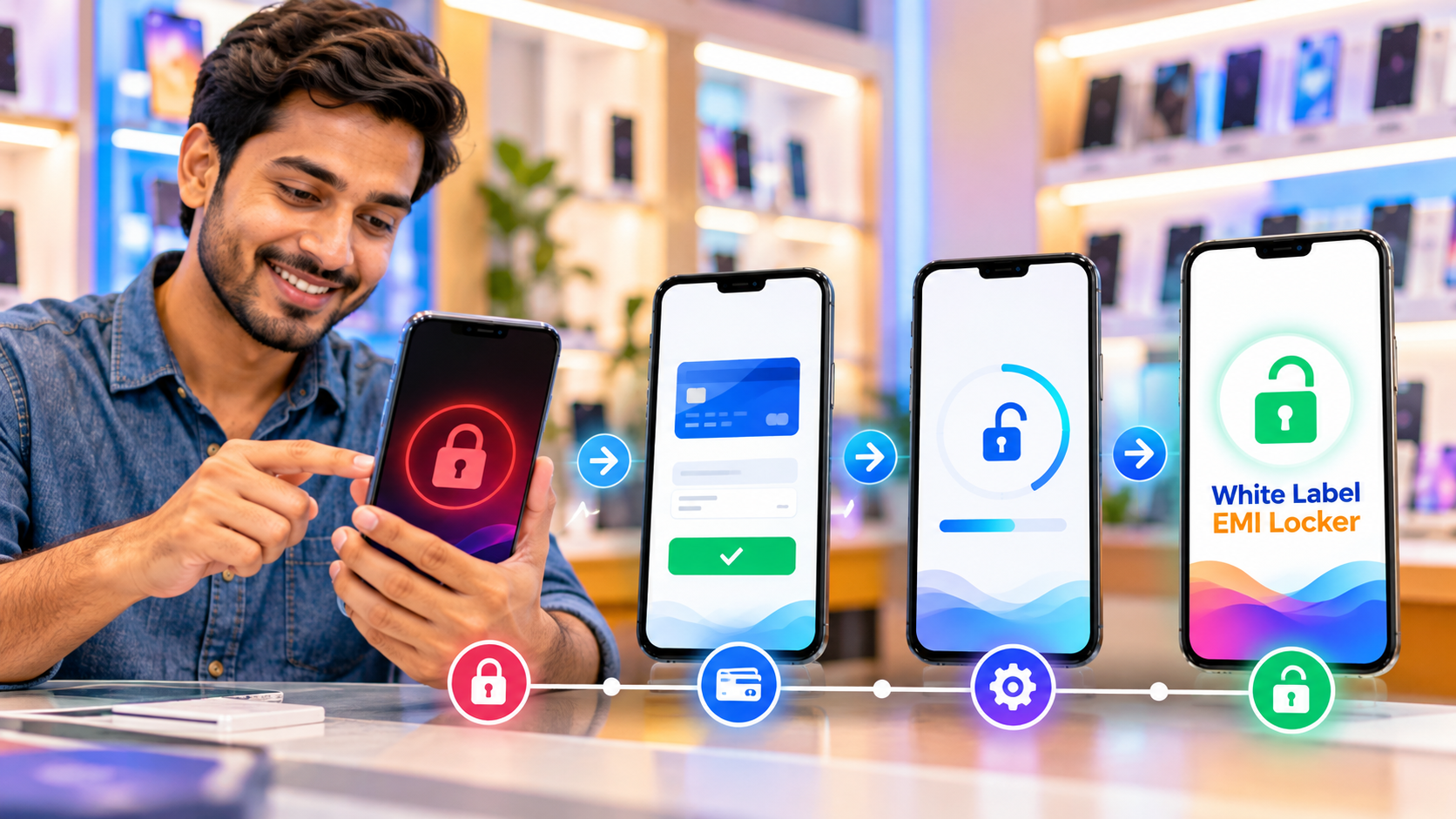
Introduction
A smartphone bought on EMI may sometimes get locked when a payment is missed or remains overdue. This usually happens when the financed device is connected with an EMI Locker App, EMI Device Lock App or similar device-financing software.
If your phone is locked because of an unpaid EMI, the right way to unlock it is to clear the pending payment and follow the official process provided by the retailer, lender, NBFC or finance company.
Avoid unofficial bypass tools. They may not work properly and can also create security or warranty issues.
What Does EMI-Locked Phone Mean?
An EMI-locked phone is a financed smartphone that has limited access because of unpaid or overdue installments.
Businesses may use EMI Locker Software to connect the customer’s EMI account with the financed device.
The software can help manage:
- EMI payment status.
- Customer records.
- Financed device details.
- Payment reminders.
- Device lock status.
- Device unlock status.
- Recovery workflows.
- Payment updates.
The exact process depends on the lender, financing agreement and device-management system.
Why Can a Phone Get EMI Locked?
A phone may get locked for several reasons.
1. Missed EMI Payment
If the customer does not pay the installment by the due date, the system may mark the account as overdue.
2. Multiple Pending Installments
If several EMIs remain unpaid, the device may stay restricted until the account is updated.
3. Payment Is Not Updated
Sometimes the customer has already paid, but the payment has not yet been reflected in the system.
4. Internet or Sync Problem
The phone may need internet access to receive the latest payment or unlock status.
5. Account Verification Issue
In some cases, the retailer or lender may need to verify the customer, transaction or device record before updating the status.
How to Unlock an EMI-Locked Phone Step by Step
The correct process is usually simple.
1. Check the EMI Status
First, check whether any installment is pending.
You can review:
- EMI app.
- Loan account.
- SMS alerts.
- Payment receipt.
- Retailer records.
- Finance company portal.
Confirm the pending amount and due date.
2. Pay the Pending EMI
If payment is overdue, make the payment using the approved method.
Common options may include:
- UPI.
- Bank transfer.
- Online payment gateway.
- Retailer payment counter.
- Finance company app.
Always keep the transaction ID or payment receipt.
3. Allow Payment Verification
After payment, the lender or retailer may need some time to verify the transaction.
Once confirmed, the EMI Locker App can update the account and device status.
4. Connect the Phone to the Internet
Some EMI Device Locking Software requires internet access to receive the updated unlock instruction.
After payment:
- Turn on mobile data or Wi-Fi.
- Keep the device connected.
- Open the EMI app if required.
- Restart the phone if instructed.
The device may unlock after syncing with the central server.
5. Contact Customer Support
If the phone is still locked, contact the retailer or finance provider.
Keep these details ready:
- Customer name.
- Registered mobile number.
- EMI account number.
- Device details.
- Transaction ID.
- Payment receipt.
The support team can verify the payment and check the device status.
What If the EMI Is Paid but the Phone Is Still Locked?
This is a common situation.
The problem may be caused by a delayed payment update or device sync.
Try these steps:
- Confirm that the payment was successful.
- Check that the correct account was paid.
- Connect the device to the internet.
- Wait for the payment status to update.
- Restart the phone if required.
- Contact the retailer or lender.
- Share your payment proof.
Do not try random unlock applications or unofficial software.
Can a Factory Reset Remove an EMI Lock?
A factory reset usually does not solve the main problem.
If the device is properly connected with an EMI Locking Solution, the financing status may remain linked with the device.
A factory reset can also remove personal data.
The safer approach is:
- Pay the overdue amount.
- Verify the transaction.
- Ask the authorized provider to update the device.
- Wait for the official unlock status.
Can You Unlock an EMI Phone Without Paying?
If the lock is connected to an unpaid financing agreement, the proper method is to clear the pending payment or resolve the issue with the lender.
Trying to bypass the lock without approval is not recommended.
If you believe the lock is incorrect, contact the finance provider and show proof of payment.
How Long Does It Take to Unlock an EMI-Locked Phone?
The time can vary.
It may depend on:
- Payment verification.
- Internet connection.
- Server synchronization.
- Retailer approval.
- Finance company process.
- Device status.
In some systems, unlocking may happen soon after payment is confirmed. In others, manual verification may be required.
How Does an EMI Locker App Help Businesses?
An EMI Locker App helps retailers and finance companies manage financed devices in a more organized way.
It can support:
- EMI payment tracking.
- Due date reminders.
- Overdue account monitoring.
- Customer management.
- Device registration.
- Device status updates.
- Authorized lock and unlock controls.
- Recovery management.
This can reduce manual follow-ups and improve visibility.
How Does an EMI Recovery App Help?
An EMI Recovery App helps teams manage customers with overdue payments.
It can help businesses:
- Identify overdue accounts.
- Check pending amounts.
- View payment history.
- Plan follow-ups.
- Monitor device status.
- Update recovered payments.
This makes recovery work easier to manage.
Why Is a Good EMI Unlock Process Important?
A smooth unlock process is important for both the customer and the business.
It helps:
- Reduce customer frustration.
- Avoid unnecessary support calls.
- Keep payment records accurate.
- Improve device status management.
- Make recovery workflows more organized.
- Build customer trust.
A good EMI Locker Software platform should make payment updates and device status easy to manage.
Why Choose White Label EMI Locker?
White Label EMI Locker provides a complete EMI device management solution for mobile retailers, distributors, NBFCs, and finance companies.
Our platform can help businesses manage:
- EMI payment tracking.
- Financed devices.
- Customer records.
- Payment reminders.
- Device lock and unlock workflows.
- EMI recovery.
- Retailer and distributor management.
- Custom branding.
- Reports and dashboards.
With a White Label EMI Locker App, businesses can manage both payments and financed devices from one platform.
This can make the complete EMI journey more organized, from device registration to payment tracking and final unlocking.
Conclusion
An EMI-locked phone can usually be unlocked by clearing the pending payment and allowing the lender or retailer to update the device status.
The safest process is simple:
- Check the pending EMI.
- Make the payment.
- Keep the payment proof.
- Connect the phone to the internet.
- Wait for synchronization.
- Contact the authorized provider if needed.
For businesses, using reliable EMI Locker Software, an EMI Device Lock App, and an EMI Recovery App can make payment and device management much easier.
Need Help Managing EMI-Locked Devices Safely?
Make the EMI payment, verification, and device unlocking process simpler with a reliable EMI management solution.
Choose White Label EMI Locker to manage financed devices, payment updates and secure lock/unlock workflows from one platform. Contact us today for a demo.
- Website: www\.whitelabelemilocker.com
- Phone: \+91 8882653043
Ready to Launch Your White Label EMI Locker?
Talk to Aditya Gupta — Founder & CEO of Devolyt Technologies — and get a custom quote for your EMI Locker platform.
Get a Free Consultation →