

Introduction
Are you planning to buy an EMI Locker App for your mobile shop but don't know which one to choose? Many EMI Locker Software providers offer features like remote phone locking, EMI payment tracking, and customer management. But how can you be sure the software will work for your business?
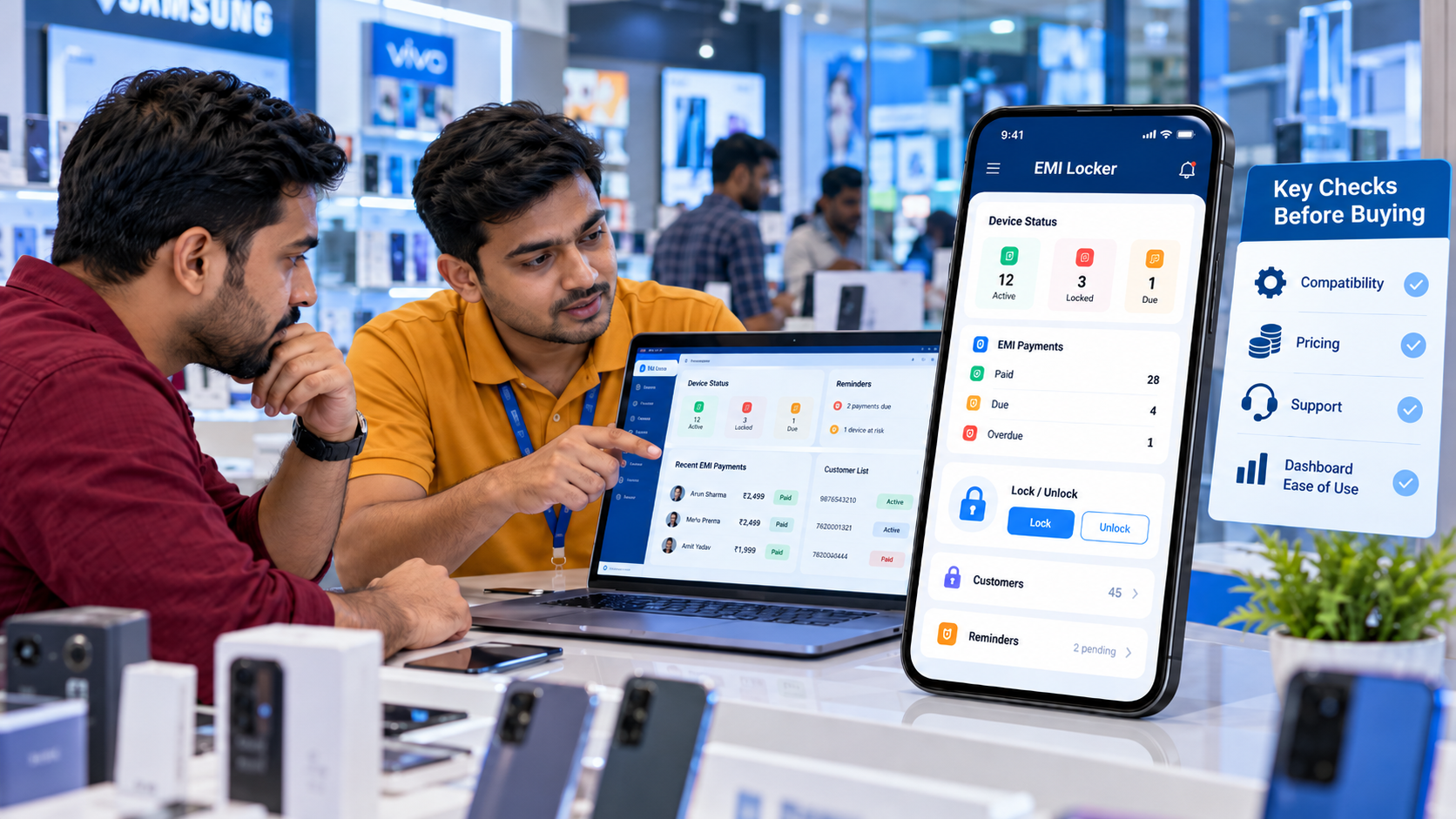
An EMI Locker App Demo helps you understand how the software works before spending money. Instead of relying only on product descriptions, you can see the dashboard, check its features, and understand how financed smartphones are managed.
Whether you run a small mobile shop or manage multiple retail locations, this guide explains what to check during an EMI Locker App demo so you can choose software that meets your business needs.
Why Is an EMI Locker App Demo Important Before Buying?
Imagine buying EMI Locker Software and discovering later that it doesn't support the smartphone models you sell or that your staff finds the dashboard difficult to use. A product demo can help you avoid such problems.
During a demo, you can:
- Explore the retailer dashboard.
- Understand the phone locking and unlocking process.
- Check EMI payment tracking features.
- Review customer and device registration.
- Learn about device compatibility.
- Understand pricing and technical support.
A demo also gives you an opportunity to ask questions and compare different EMI Locker solutions before making a decision.
7 Things Every Mobile Retailer Should Check During an EMI Locker App Demo
1. Can You Manage Everything from One Simple Dashboard?
Imagine managing 100 customers and having to open different files every time someone asks about their EMI payment. That can waste time and create confusion. During the EMI Locker App Demo, check whether the dashboard allows you to:
- Add new customers.
- Register financed smartphones.
- View installment schedules.
- Check pending EMI payments.
- Monitor device status.
- Find customer details quickly.
If your shop still depends on spreadsheets, read Are You Still Using Excel to Manage Mobile EMI Payments? to understand why businesses consider digital EMI management software.
Ask the provider: Can my staff manage customers and financed phones without complicated training?
2. Does the Phone Lock and Unlock Feature Actually Work?
Remote device locking is one of the important features retailers look for in EMI Phone Lock Software. However, don't just accept a provider's claim that the feature works. Ask for a live demonstration using a supported smartphone.
During the demo, check:
- How a phone is enrolled in the system.
- How an authorized lock command is sent.
- Whether the dashboard shows the device's status.
- How a phone is unlocked after payment confirmation.
- What happens when a command fails or is delayed.
Ask the provider: Can you show me the complete phone locking and unlocking process?
Device restrictions should only be used with informed customer consent, appropriate permissions and compliance with applicable laws.
3. Will the EMI Locker App Work on the Phones You Sell?
Not every EMI Device Lock App supports every Android smartphone. Some applications may work only with specific Android versions, smartphone brands, or enrollment methods.
Before buying, check:
- Supported Android versions.
- Compatible smartphone models.
- Device enrollment requirements.
- Software update compatibility.
- Any limitations on locking features.
For example, if your shop sells smartphones from several brands, the software should support the models you plan to finance.
Ask the provider: Can you demonstrate the EMI Locker App on the same smartphone models I sell?
Testing compatibility before purchase can help prevent technical problems later.
4. Can You Track EMI Payments Without Calling Every Customer?
One of the biggest challenges for mobile retailers is keeping track of installment payments. If you sell 50 smartphones on EMI every month, monitoring payment dates manually can become difficult.
During the demo, check whether the software can help manage:
- Monthly installment amounts.
- Payment due dates.
- Recorded payment history.
- Overdue EMI accounts.
- Customer information.
- Payment reminders.
Also, ask whether the platform updates payments automatically through a supported integration or requires manual confirmation.
Ask the provider: How will I know which customers have paid and which payments are still pending?
An organized EMI Payment Management System can reduce repetitive administrative work and make payment follow-ups easier.
5. What Happens If the Customer's Phone Goes Offline?
Suppose a customer turns off mobile data or travels to an area without an internet connection. Will the EMI Locker App continue working? The answer depends on the software and how the device was configured. Some applications may support previously configured offline restrictions, while remote commands generally require connectivity.
During the demo, ask:
- Does the app support offline device restrictions?
- What happens when the phone loses internet access?
- Will pending commands be delivered after reconnection?
- Can the phone be unlocked after the customer completes payment?
Ask the provider: Which EMI Locker features work without internet, and which require an active connection?
This is an important question because connectivity problems can affect daily financed device operations.
6. Can One EMI Locker App Handle 1,000 Financed Smartphones?
Your mobile shop may have 50 EMI customers today, but what happens when the number grows to 500 or even 1,000? You don't want to change software every time your business expands.
During the demo, check whether the platform supports:
- Large numbers of financed smartphones.
- Multiple retailer accounts.
- Customer and device search.
- Centralized administration.
- Different staff access permissions.
- Increasing device registration volumes.
If you're planning to expand, read Can You Manage 1,000 Financed Phones with One EMI Locker App? to explore the requirements of managing a growing device portfolio.
Ask the provider: What is the maximum number of financed smartphones my account can manage, and will the cost change as I add more devices?
Choose a solution that meets your current requirements and can support your future business plans.
7. Are You Paying Only for the Features You Need?
Price matters, especially for small mobile retailers. However, choosing software based only on the lowest price can lead to problems if essential features are missing. Before buying, understand the complete pricing structure.
Ask about:
- Initial setup charges.
- Per-device or per-key costs.
- Monthly or annual subscription fees.
- Device registration limits.
- Renewal charges.
- Technical support fees.
- White-label branding costs.
Ask the provider: What will be my total software cost for 100, 500, or 1,000 financed smartphones?
A clear quotation makes it easier to compare different EMI Locker Software providers.
What If Something Goes Wrong After You Buy the Software?
A successful demo is important, but technical support matters just as much. Imagine a customer completes their EMI payment, but their smartphone remains locked because the unlock request has not been processed.
Who will help you solve the problem?
Before purchasing, check whether the provider offers:
- Installation and setup assistance.
- Technical support for device enrollment.
- Help with locking and unlocking issues.
- Software updates.
- Support for Android compatibility problems.
- Clear complaint and issue-resolution procedures.
Ask the provider to explain how support requests are handled and whether additional charges apply.
Don't Forget to Check Technical Support
Imagine a customer completes an overdue EMI payment, but their phone remains locked because the unlock command has not been processed.
In this situation, quick technical support becomes important.
Before purchasing, check:
- How customers or retailers can contact support.
- Whether support is available through phone, email, or a ticket system.
- Whether the provider helps with installation.
- How software updates are handled.
- Whether assistance is available for compatibility issues.
A provider should explain how it handles urgent problems, especially payment-related unlocking delays.
Want Your Own Branded EMI Locker App?
Some retailers prefer using a ready-made EMI Locker solution, while others want an app with their own business name, logo, and branding.
A White Label EMI Locker App allows businesses to explore customized software options rather than relying entirely on a generic platform.
If you plan to build your own branded solution, explore Launch Your Own EMI Locker App with Unlimited Keys to learn about device registration options, branding, and available software plans.
Before choosing a white-label solution, confirm the actual key limits, device capacity, pricing, and features included in your package.
How White Label EMI Locker Can Support Your Mobile Financing Business
White Label EMI Locker offers customizable EMI device management solutions for mobile retailers, distributors, NBFCs and finance companies in India. Businesses looking for their own branded EMI management platform can explore solutions designed for financed smartphone operations.
Key capabilities include:
- Custom Branding: Launch an EMI Locker App with your business identity.
- Device Management: Manage supported financed smartphones from a centralized dashboard.
- Remote Lock and Unlock: Apply and remove authorized device restrictions.
- EMI Payment Tracking: Organize installment schedules and outstanding payment records.
- Payment Reminders: Keep customers informed about upcoming EMI dates.
- Retailer and Distributor Management: Organize financing operations across business users.
During a product demonstration, businesses can discuss their smartphone models, expected device volumes, branding requirements, and specific EMI management needs.
Conclusion
An EMI Locker App Demo helps mobile retailers understand what they are buying before investing in software. Instead of focusing only on advertised features or pricing, check whether the app supports your smartphones, offers an easy dashboard, tracks EMI payments, and provides reliable technical assistance. A live demonstration can help you avoid compatibility issues and choose software that fits your daily business operations.
To explore your options and enquire about an EMI Locker App Demo, visit www.whitelabelemilocker.com and contact the team for more information.
Ready to Launch Your White Label EMI Locker?
Talk to Aditya Gupta — Founder & CEO of Devolyt Technologies — and get a custom quote for your EMI Locker platform.
Get a Free Consultation →