

Introduction
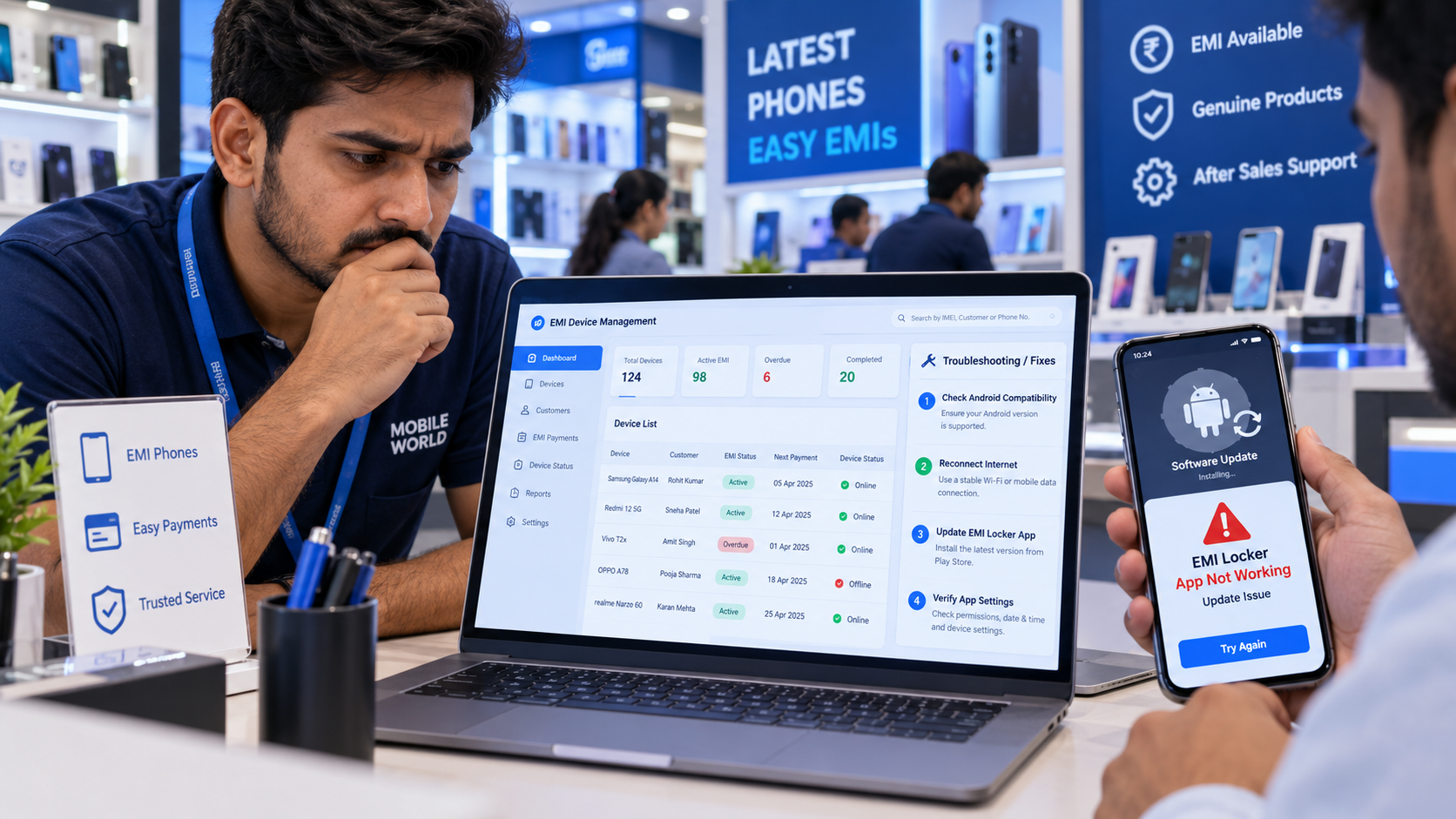
Has your EMI Locker App stopped working after an Android update? Are you facing problems with remote phone locking, device connectivity, or EMI payment tracking? This can be frustrating for mobile retailers and finance companies that depend on EMI Locker Software to manage financed smartphones.
Sometimes, an Android system update changes how certain applications work. It may affect app compatibility, background activity, or device management permissions. As a result, some EMI Locker features may not work as expected.
The good news is that many of these problems can be resolved with simple troubleshooting steps. In this guide, we explain why EMI Locker Software may stop working after an Android update, how to fix common issues, and what retailers should check to avoid future problems.
Why Does an EMI Locker App Stop Working After an Android Update?
Android updates are released to improve smartphone security, performance, and system features. However, some updates may also change how applications interact with the operating system. An EMI Device Lock App often uses specific permissions and supported device management features. If these features are affected by an update, certain functions may stop working properly.
Here are some common reasons:
- App Compatibility Issues: The installed EMI Locker version may not fully support the updated Android system.
- Background Activity Restrictions: Some app processes may be delayed or restricted.
- Device Management Changes: Certain management functions may behave differently after an update.
- Internet Connectivity Problems: Remote commands may not reach the smartphone.
- Outdated Software: The EMI Locker App may require an approved update.
Not every Android update causes these problems. The result depends on the smartphone model, Android version, software provider, and device enrollment method.
For more troubleshooting information, explore Can an EMI Locker App Stop Working? Common Issues and Solutions.
6 Common EMI Locker App Problems After an Android Update
1. EMI Locker App Is Not Opening
After an Android update, some retailers may notice that the EMI Locker App freezes, crashes, or does not open. This may happen because the installed application version is incompatible with the updated operating system.
How to fix it:
- Check whether a newer approved app version is available.
- Restart the smartphone if appropriate.
- Check whether the device has sufficient storage.
- Contact the software provider if the problem continues.
Avoid clearing application data or uninstalling managed software without assistance from an authorized administrator.
2. Remote Phone Lock Is Not Working
Imagine a customer misses an EMI payment, but the authorized device lock command does not reach the financed smartphone. This can happen when the phone is offline, device enrollment has a problem or the software is not communicating properly with its management server.
How to fix it:
- Check the smartphone's internet connectivity.
- Verify the device status in the EMI Locker dashboard.
- Check whether the device is still properly enrolled.
- Review any failed or pending commands.
- Contact technical support if the issue remains unresolved.
Remote locking must only be used under valid financing terms, informed customer consent, and applicable legal requirements.
3. EMI Payment Status Is Not Updating
Some retailers may notice that customer payment information is not updating after a software or system change. However, this does not always mean the Android update caused the problem. Payment status may depend on a separate financing system, payment gateway, or manual verification process.
How to fix it:
- Check whether the payment was successfully completed.
- Verify the transaction reference number.
- Confirm that the management dashboard is synchronized.
- Contact the payment provider or software support team when required.
Always verify the payment before taking any recovery action.
4. EMI Locker App Is Not Running Properly in the Background
Some Android updates may change how background applications and battery optimization settings work. This can affect app synchronization or notifications on certain smartphones.
How to fix it:
- Check the app's notification settings.
- Review relevant background activity settings.
- Verify that the app is using an approved configuration.
- Ask the provider whether the Android version requires additional setup.
Do not change protected device management settings without proper authorization.
5. EMI Phone Unlock Is Delayed After Payment
A customer completes an overdue EMI payment, but their smartphone remains locked. This may happen because the payment status has not updated or the unlock command has not reached the device.
How to fix it:
- Verify the customer's payment.
- Confirm that the lender has approved the unlock.
- Check the pending command status.
- Ensure the smartphone is connected where required.
- Contact the software provider if the phone remains locked.
Once payment and authorization are confirmed, retailers should arrange prompt unlocking to avoid unnecessary inconvenience.
6. EMI Locker App Shows the Wrong Device Status
Sometimes, the retailer dashboard may show a smartphone as offline even when the device is connected to the internet. This may be caused by delayed synchronization, a temporary server problem or an application compatibility issue.
How to fix it:
- Check the smartphone's network connection.
- Refresh the dashboard.
- Verify the device's latest synchronization status.
- Review any available system error messages.
- Contact technical support if the information remains incorrect.
Accurate device status is important for managing financed smartphones effectively.
How to Fix EMI Locker App Issues After an Android Update
If your EMI Locker App is not working after an Android update, follow this simple checklist.
Step 1: Check the Android Version
Find out which Android version is installed on the financed smartphone and confirm whether your EMI Locker Software supports it.
Step 2: Check for Approved App Updates
Ask the software provider whether an updated version is available for the new Android system.
Step 3: Verify Internet Connectivity
Confirm that the smartphone can communicate with the management server.
Step 4: Check Device Enrollment
Make sure the financed smartphone is still registered correctly in the EMI Locker dashboard.
Step 5: Review App Permissions
Ask an authorized administrator to verify whether the required management permissions and settings are functioning correctly.
Step 6: Contact Technical Support
If the issue continues, share the smartphone model, Android version, application version, and error details with the support team. These steps can help identify the problem without making unnecessary changes to the financed device.
Can an Android Update Remove an EMI Phone Lock?
One common question mobile retailers ask is whether updating Android can automatically remove an existing EMI lock.
An Android update does not necessarily remove an EMI phone lock.
The result depends on how the device was enrolled, which management features the software uses, and whether the updated operating system supports those features.
Some restrictions may remain active, while certain software functions may need updates or troubleshooting. Retailers should never assume that an Android update has removed all device management controls.
How Can Retailers Avoid EMI Locker Problems After Future Updates?
Preventing software problems is easier when retailers follow proper device management practices.
Here are some useful tips:
- Check Compatibility: Confirm Android version support before enrolling smartphones.
- Use Approved Software: Install updates supplied through trusted channels.
- Test New Android Versions: Ask the provider to test important features on supported devices.
- Monitor Device Status: Regularly check enrolled smartphones through the dashboard.
- Maintain Payment Records: Keep installment information accurate.
- Train Your Staff: Make sure employees know how to report technical problems.
- Choose Reliable Support: Work with a provider that offers assistance with compatibility and device management issues.
When selecting software, retailers should compare device compatibility, management capabilities, and technical support instead of focusing only on price. To understand important factors when comparing providers, read Why Businesses Choose White Label EMI Locker Over Other EMI Lock Apps.
What Should You Look for in EMI Locker Software for Android?
If your business finances Android smartphones, choosing suitable EMI Locker Software can help reduce everyday management difficulties.
Look for these features:
- Android Compatibility: Support for the smartphone models and Android versions used by your business.
- Remote Device Management: Authorized locking and unlocking on supported devices.
- Centralized Dashboard: Manage customer accounts and financed devices from one place.
- EMI Payment Tracking: Monitor recorded installment schedules and outstanding payments.
- Payment Reminders: Notify customers about upcoming due dates.
- Software Updates: Availability of maintenance and compatibility updates.
- Technical Assistance: Support for installation, enrollment, and troubleshooting.
Businesses comparing different solutions can also explore the Best EMI Locker App in India to understand important features and selection criteria.
How White Label EMI Locker Supports Android Device Management
White Label EMI Locker offers customizable EMI device management solutions for mobile retailers, distributors, NBFCs, and finance companies in India. The platform is designed to help businesses organize financed smartphone operations through a centralized management system.
Businesses can explore capabilities such as:
- Custom Branding: Launch an EMI Locker App under your business identity.
- Financed Device Management: Manage supported smartphones through one dashboard.
- Remote Lock and Unlock: Use authorized device management controls.
- EMI Payment Tracking: Monitor installment schedules and overdue payments.
- Payment Reminders: Keep customers informed about upcoming installments.
- Retailer and Distributor Management: Organize financed device operations across business users.
Before deploying the software, businesses should confirm Android compatibility, supported device management features, and the technical assistance available for software updates.
Conclusion
If your EMI Locker App is not working after an Android update, the problem may be related to app compatibility, device permissions, internet connectivity, or delayed synchronization. Instead of reinstalling the application immediately, retailers should check the Android version, verify device enrollment, review software updates, and contact technical support when required. White Label EMI Locker offers customizable EMI device management solutions to help mobile retailers, distributors, NBFCs, and finance companies manage financed smartphones, track payments, and organize device operations.
If you are looking for a branded EMI Locker App for your business, visit www.whitelabelemilocker.com to explore available solutions and contact the team for more information.
Ready to Launch Your White Label EMI Locker?
Talk to Aditya Gupta — Founder & CEO of Devolyt Technologies — and get a custom quote for your EMI Locker platform.
Get a Free Consultation →