

Introduction
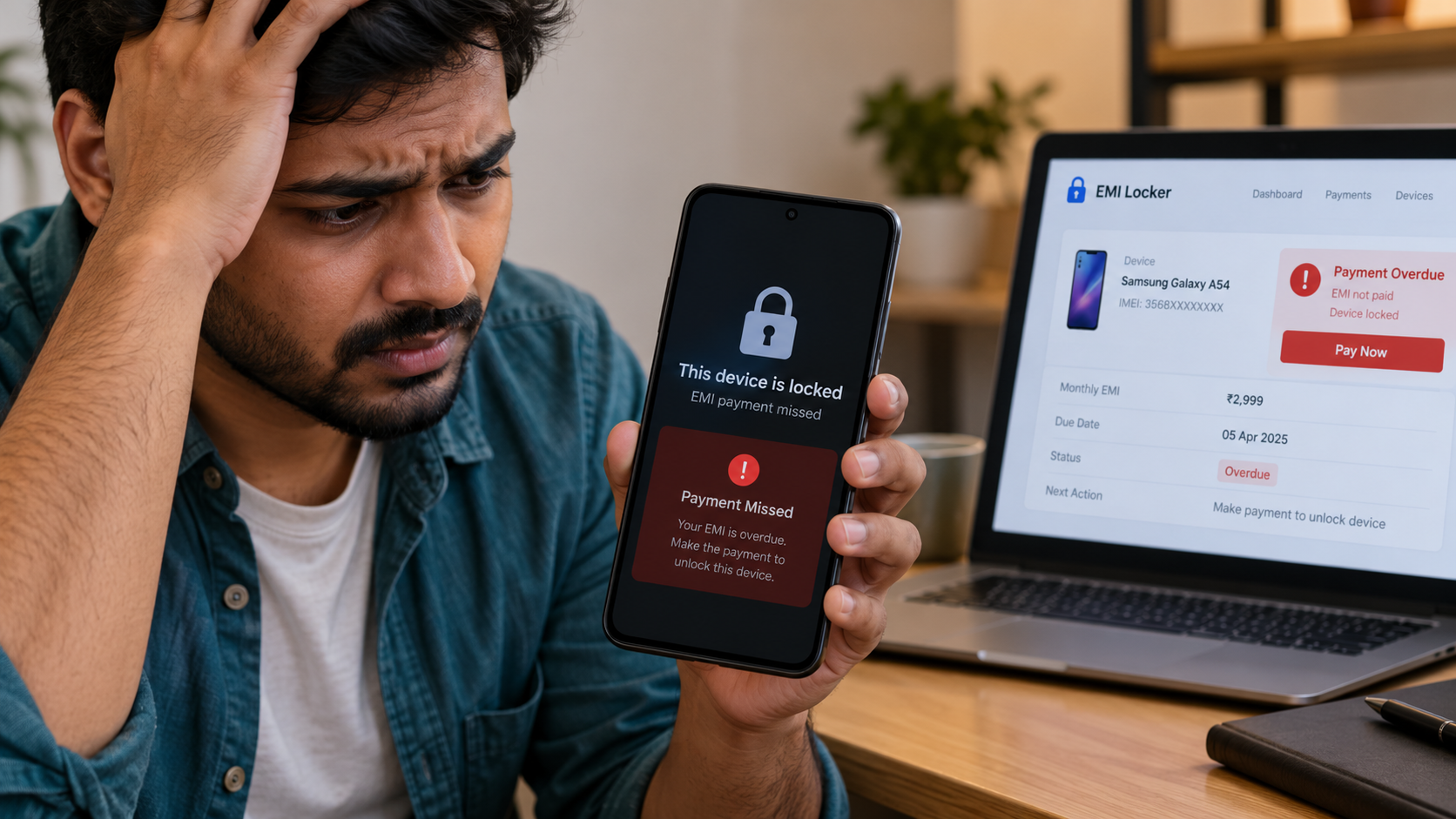
What happens when a customer misses their phone EMI payment? Does the retailer need to call them repeatedly, or can the financed smartphone be locked automatically? An EMI Locker App helps mobile retailers track installment payments, send reminders, and manage financed devices from one dashboard. Some EMI locking solutions also support automatic phone locking when payments remain overdue.
For retailers managing hundreds of EMI customers, checking payments manually can take a lot of time. EMI Locker Software can simplify this process by keeping customer records, payment schedules, and device information organized in one place.
How Automatic EMI Phone Locking Works After a Missed Payment
Automatic EMI phone locking is a feature available in some EMI Locker Apps that allows authorized device restrictions to be applied when an installment remains unpaid. The software can monitor payment schedules and identify overdue installments. Depending on the application, it may also support automated reminders and device management rules. However, a phone does not necessarily lock immediately after a missed payment. Automatic locking depends on several factors:
- Software Features: The EMI Locker App must support automatic device locking.
- Device Compatibility: The financed smartphone must support the required management permissions.
- Payment Status: The overdue installment must be verified.
- Grace Period: The customer must receive the required notice and opportunity to pay.
- Financing Terms: Any restriction must comply with the agreement and applicable laws.
Retailers should choose an EMI locking solution that provides suitable payment management features and clear customer safeguards.
How Does an EMI Locker App Lock a Phone Automatically?
An EMI Device Locking Software solution can connect installment records with supported device management controls.
Here is how the process generally works.
1. Register the Financed Smartphone
When a customer purchases a smartphone on EMI, the retailer registers the device in the EMI Locker dashboard. The system stores information such as:
- Customer name and contact details.
- Financed smartphone information.
- EMI amount and repayment period.
- Monthly installment due dates.
- Financing agreement details.
This makes it easier to manage customer and device records.
2. Add the EMI Payment Schedule
The retailer enters the installment amount, repayment duration, and due dates. For example, a customer purchases a smartphone worth ₹24,000 through an eight-month interest-free EMI plan.
- Phone Price: ₹24,000
- Monthly EMI: ₹3,000
- Repayment Period: 8 months
- Payment Date: 10th of every month
The software helps the retailer monitor the installment schedule.
3. Send Automatic Payment Reminders
Before the EMI due date, the application may notify customers through supported communication channels. This helps reduce missed payments caused by forgotten due dates.
4. Identify Overdue EMI Payments
If the payment is not received on time, the system may mark the installment as overdue. The retailer can check the customer's payment status and contact them if necessary.
5. Apply Authorized Device Restrictions
If the payment remains overdue after the required notice and grace period, a compatible EMI Locker App may apply a permitted restriction based on configured rules. Such action must follow the financing agreement, applicable laws, and customer protection requirements.
6. Unlock the Device After Payment
Once the overdue EMI is paid and confirmed, the software may restore device access automatically or allow an authorized administrator to unlock the phone. The exact process depends on the application's features and device connectivity.
Does an EMI-Locked Phone Lock Immediately After Missing One Installment?
Not always. The timing depends on the financing agreement, software configuration, and applicable requirements. For example, an EMI management process may include:
- Before the Due Date: Send a payment reminder.
- On the Due Date: Check whether the installment has been received.
- After a Missed Payment: Notify the customer about the overdue amount.
- During the Grace Period: Allow the customer to complete the payment.
- After Required Conditions Are Met: Consider authorized device restrictions where legally permitted.
This process helps retailers manage overdue payments while giving customers time to resolve payment issues.
If customers repeatedly miss installments, read Customers Not Paying Their Phone EMIs? Here's What Retailers Can Do to understand practical ways to manage overdue payments.
What Happens If the Customer Keeps the Phone Offline?
An EMI Locker App may require internet connectivity to deliver new device management commands. If a financed smartphone is switched off or disconnected from the internet, automatic remote locking may be delayed. Depending on the software:
- New remote commands may remain pending.
- Payment reminders may not reach the device.
- Previously applied restrictions may continue.
- The dashboard may show outdated device information.
- Supported offline device controls may continue working.
Retailers should check whether their EMI Phone Lock Software supports offline functionality and how it behaves when a smartphone reconnects.
5 Benefits of Using Automatic EMI Locker Software
An EMI Locker App with automation features can simplify everyday work for mobile retailers and finance companies.
1. Reduces Manual Payment Follow-Ups
Automated reminders help customers remember their installment dates without requiring retailers to make repeated calls.
2. Improves EMI Payment Tracking
Retailers can monitor paid, pending, and overdue installments through a centralized dashboard.
3. Saves Time in Daily Operations
Customer details, installment schedules, and financed-device information remain organized in one system.
4. Simplifies Financed Device Management
Compatible EMI Locker Software can help authorized businesses monitor registered smartphones and manage supported device controls.
5. Supports Growing Retail Businesses
As EMI sales increase, retailers can use automated workflows to manage larger numbers of customers.
For more information about managing smartphone installment sales, read Selling Phones on EMI? Here's How to Manage Customers and Payments.
What Features Should Retailers Look for in an EMI Locker App?
Before choosing an EMI Locker App for Mobile Retailers, businesses should compare the features available in different software solutions. Some important features include:
- EMI Payment Tracking: Monitor installment schedules and outstanding payments.
- Automated Payment Reminders: Notify customers about upcoming and overdue EMIs.
- Centralized Dashboard: Manage multiple financed smartphones from one platform.
- Remote Locking and Unlocking: Use authorized device controls on supported smartphones.
- Offline Functionality: Understand which device restrictions remain active without internet access.
- Customer Record Management: Maintain customer and financing information.
- Data Security: Protect customer information and administrative accounts.
- Technical Support: Receive assistance with setup, compatibility, and software issues.
Retailers should also verify whether automatic locking is available in their chosen software plan.
How White Label EMI Locker Makes EMI Management Easier
White Label EMI Locker, developed by Devolyt Technologies Pvt. Ltd., offers customizable EMI device management solutions for mobile retailers, distributors, NBFCs, and finance companies. It helps businesses manage financed smartphones, organize installment information, and simplify daily EMI operations. Some important benefits include:
- Custom-Branded EMI Locker App: Create an EMI management solution with your business identity.
- Centralized Device Dashboard: Access customer and financed-device information from one place.
- EMI Payment Monitoring: Keep track of payment schedules and pending installments.
- Payment Reminder Workflows: Organize notifications and customer follow-ups.
- Remote Device Management: Use supported locking and unlocking functions under authorized financing terms.
- Scalable EMI Operations: Support businesses managing growing numbers of financed smartphones.
Businesses should confirm automatic locking features, device compatibility, and supported configurations before deployment.
To explore the platform's benefits, read Why Businesses Choose White Label EMI Locker.
Conclusion
An EMI Locker App helps mobile retailers manage missed payments, track installments, and reduce manual follow-ups. With automatic reminders and supported device locking features, businesses can handle EMI operations more efficiently. White Label EMI Locker provides a customizable solution for retailers, distributors, and finance companies to manage financed smartphones, monitor pending payments, and simplify EMI recovery through one centralized dashboard.
Ready to Launch Your White Label EMI Locker?
Talk to Aditya Gupta — Founder & CEO of Devolyt Technologies — and get a custom quote for your EMI Locker platform.
Get a Free Consultation →